Venice map poster
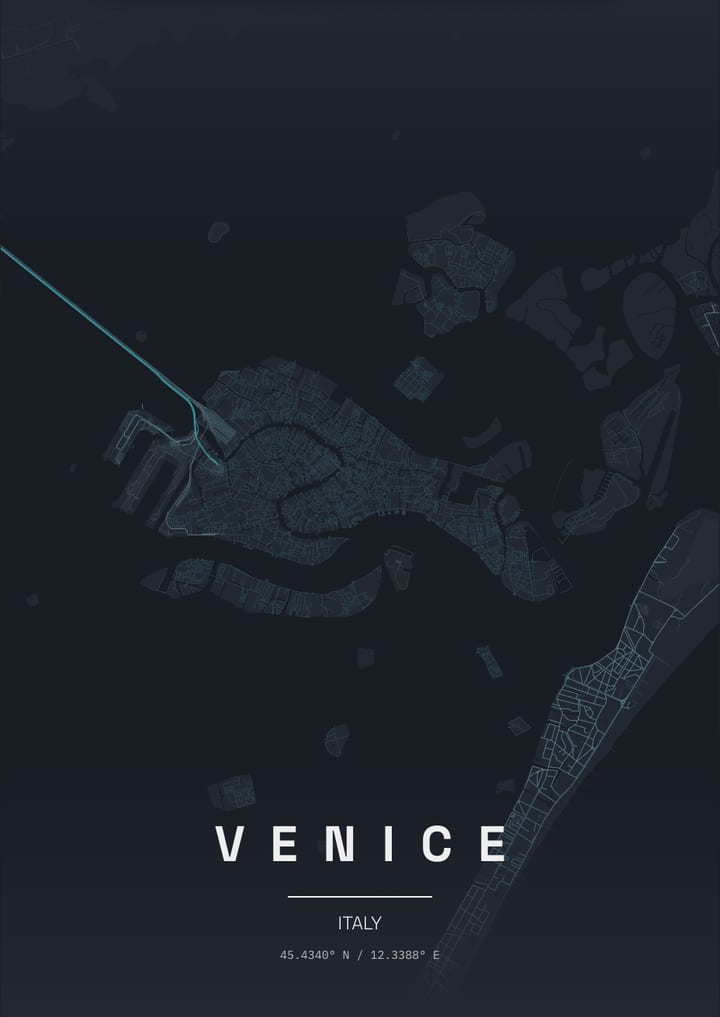
Canals replace streets on a fish-shaped island group, with the Grand Canal drawing a large S through the lagoon city.
- Theme: Teal Noir, or pick from 50+ others
- Print sizes up to 100 cm with a live DPI readout
- PNG, print-ready PDF and layered SVG export
- Change the text, map layers and markers
- Teal Noir theme: palette and example posters
About the Venice map poster
A Venice poster looks like nothing else. Canals take the place of streets, and the island group sits inside a shallow lagoon, edged by the long barrier of the Lido. The Rialto Bridge and the Accademia Bridge cross the Grand Canal, Piazza San Marco opens as a pale rectangle beside the water, and the Giudecca lies across a wide channel to the south. Cannaregio, Dorsoduro and the Arsenale break the map into smaller pieces, while the railway causeway runs off to the mainland and the outlying islands of Murano, Burano and Torcello sit in the lagoon. Italy's city on water ends up as a dense maze surrounded by quiet blue.
How to make your Venice poster
- Open the Venice design: the map is already centred on the city in the Teal Noir theme.
- Change the theme, title and text, switch map layers on or off, and add your own markers.
- Pick a paper size and export a PNG, a print-ready PDF or a layered SVG.
Print sizes and file formats
Export sizes go up to 100 cm, with a live DPI readout so you can check the resolution before printing. The map is drawn from OpenStreetMap data, so every street, park and shoreline is the real layout of Venice.
Frequently asked questions
- Can I change the text on the Venice poster?
- Yes. The title, subtitle and coordinates line are all editable, so the poster can show Venice, a neighbourhood or a personal message.
- Which theme does the Venice example use?
- The Teal Noir theme. It is only a starting point: any theme can be applied, and colours can be adjusted.
- Can I make a poster of another place in Italy?
- Yes. Search any city, address or landmark in the editor and the map recentres there.
More map posters of Italy
More city map posters
- London
- Istanbul
- Berlin
- Paris
- New York
- Tokyo
- Rome
- Barcelona
- Amsterdam
- Vienna
- Prague
- Lisbon
- Madrid
- Moscow
- Dubai
- Mumbai
- Singapore
- Sydney
- San Francisco
- Chicago
- Rio de Janeiro
- Buenos Aires
- Cairo
- Seoul
- Mexico City
- Hamburg
- Izmir
- Copenhagen
- Stockholm
- Athens
- Budapest
- Cape Town
- Hong Kong
- Vancouver
- Kyoto
- Edinburgh
- Florence
- Dublin
- Oslo
- Helsinki
- Lyon
- Naples
- Bangkok
- Shanghai
- Toronto
- Washington, D.C.
- Reykjavik
- Porto
- Kuala Lumpur
- Munich
- Brussels
- Milan
- Zurich
- Geneva
- Warsaw
- Krakow
- Marrakech
- Abu Dhabi
- Delhi
- Taipei
- Beijing
- Osaka
- Hanoi
- Ho Chi Minh City
- Melbourne
- Auckland
- Lima
- Bogota
- Santiago
- Montreal
- Boston
- Los Angeles
- Seattle
- Miami
- Tallinn
- Valencia
- Seville
- Frankfurt
- Cologne
- Rotterdam
- Bucharest
- Belgrade
- Tbilisi
- Doha
- Baku
- Kolkata
- Jakarta
- Manila
- Busan
- Hiroshima
- Perth
- Wellington
- Brisbane
- Havana
- Montevideo
- Philadelphia
- New Orleans
- San Diego
- Valletta
All city posters · Open the poster editor · How to make a map poster